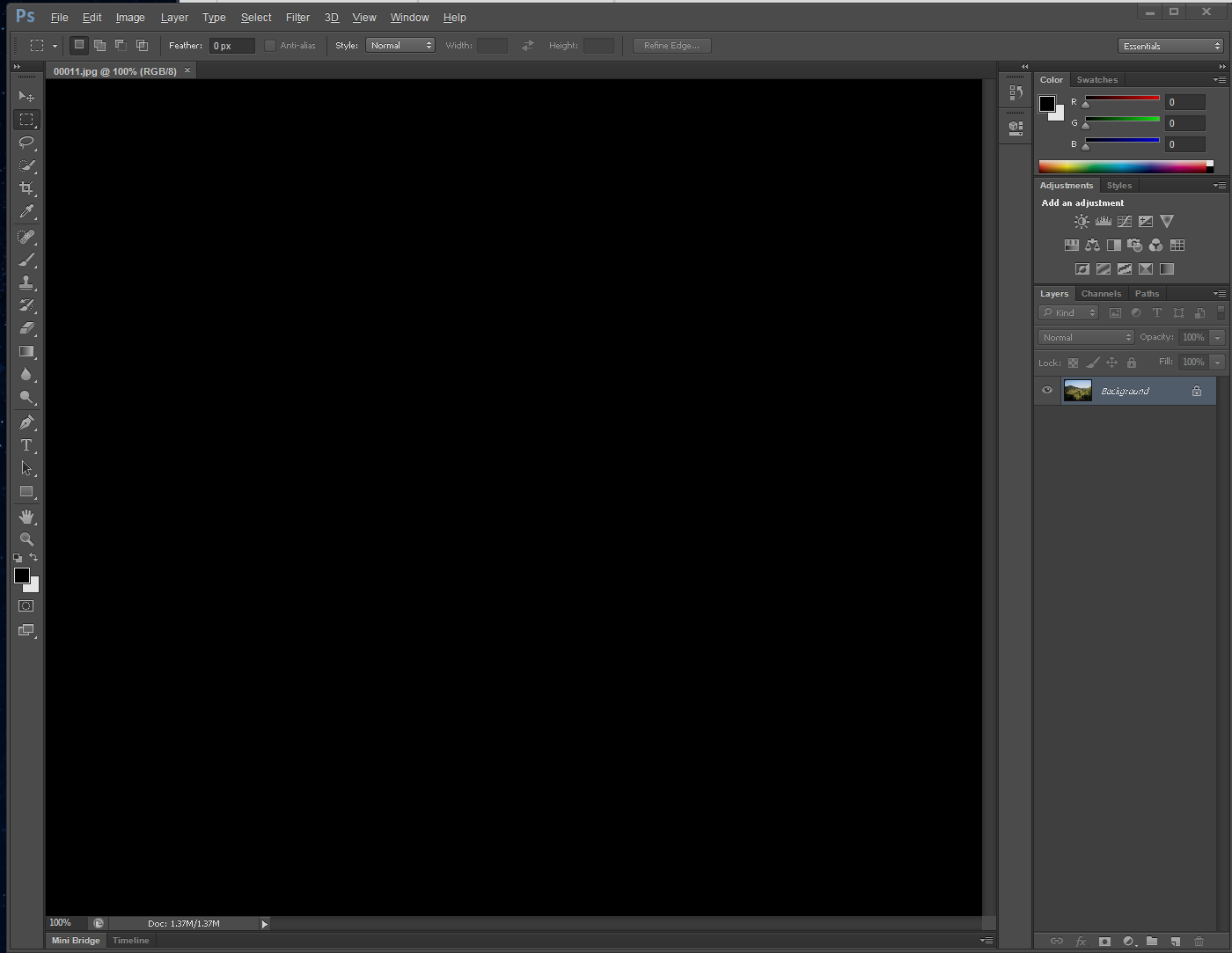
I managed to get Photoshop CS6 installed on Lutris, using the script on their site. The problem is however, that whenever I open a file (doesn’t matter if it is jpg, png, psd, etc.) the screen remains black. I can see the picture in the Layer thumbnail, but not in the main work-area. Does anyone know what the problem might be? (Also, sorry if this is the wrong place to ask).
Man i just gave up and setup windows apps via kvm using WinApps
Looks interesting, hadn’t heard from it. Thanks.
wow that looks awesome
Oh this looks awesome thank you for sharing!!
til this exists, awesome!
So this is not running Windows apps on linux, but displaying them on your linux desktop. You still need to run Windows in a VM.
I did say kvm
Krita is a really great alternative in my opinion if you would be interested in it.
That wasn’t OP’s question though.
Dude, those are nice programs but if you need professional work done those are of very limited use. The only thing that is almost as useful as Adobe is Affinity and that’s also not running on Linux.
You might like to look here, https://github.com/LinSoftWin/Photoshop-CC2022-Linux
No idea if it works, but I installed something similar a few years back, and it worked (might have been CS6 at that). Searching Photoshop linux github has a few hits. There’s also a project for GIMP to skin the interface to look like Ps, I just sucked it up and learned GIMP…
Thanks. I will probably end up keep using gimp and krita.
github version works for me
Try gallium?
I’ve never used Lutris but I know cs4 can work in wine, I’ve done it before. (I use Gimp now before anyone points out that I should be using Gimp instead). The method I’ve found for manually getting random wine stuff to work is as follows:
Step 1. Get winetricks and figure out how wineprefixes work.
Step 2. Scroll through the winetricks dll menu, make an educated guess on what library to try installing and install it. Direct x and netframework are often the first things I try but c++ runtimes are important too.
Step 3. Try the program after installing the thing you guessed it needed. If it works better than before, go back to step 2 and repeated until the program works correctly. If its borked so badly it doesn’t even start, delete the wineprefix, go back to step 2 and pick different dlls.
Pro-tip: test your program by running it in a terminal instead of double clicking an icon. Sometimes when it crashes, it leaves behind useful information such as “error: missing mscorefonfs” or whatever in which case you should see if the thing it’s complaining about is in your winetricks dll menu.